Staff TV Info
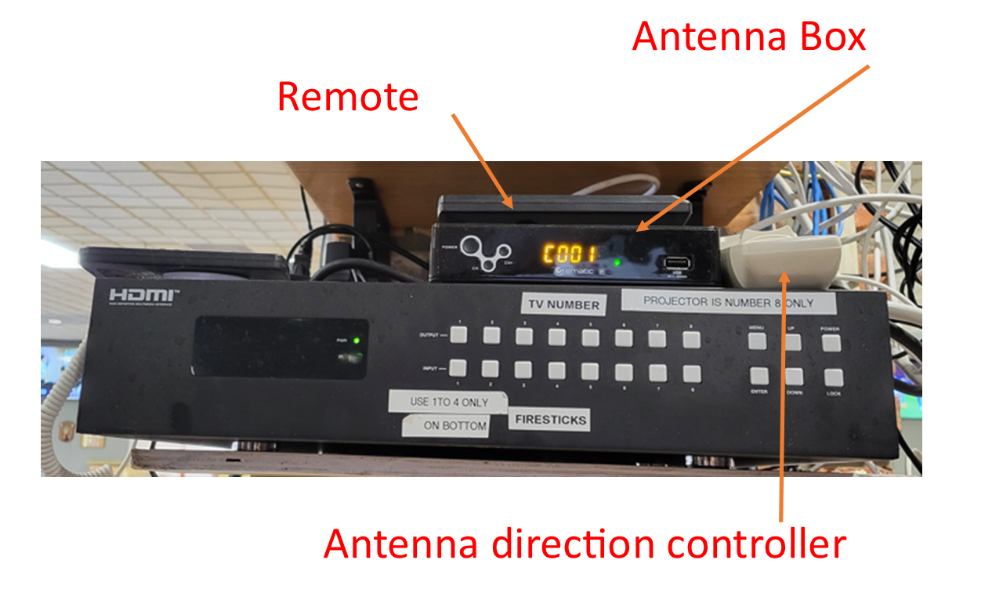
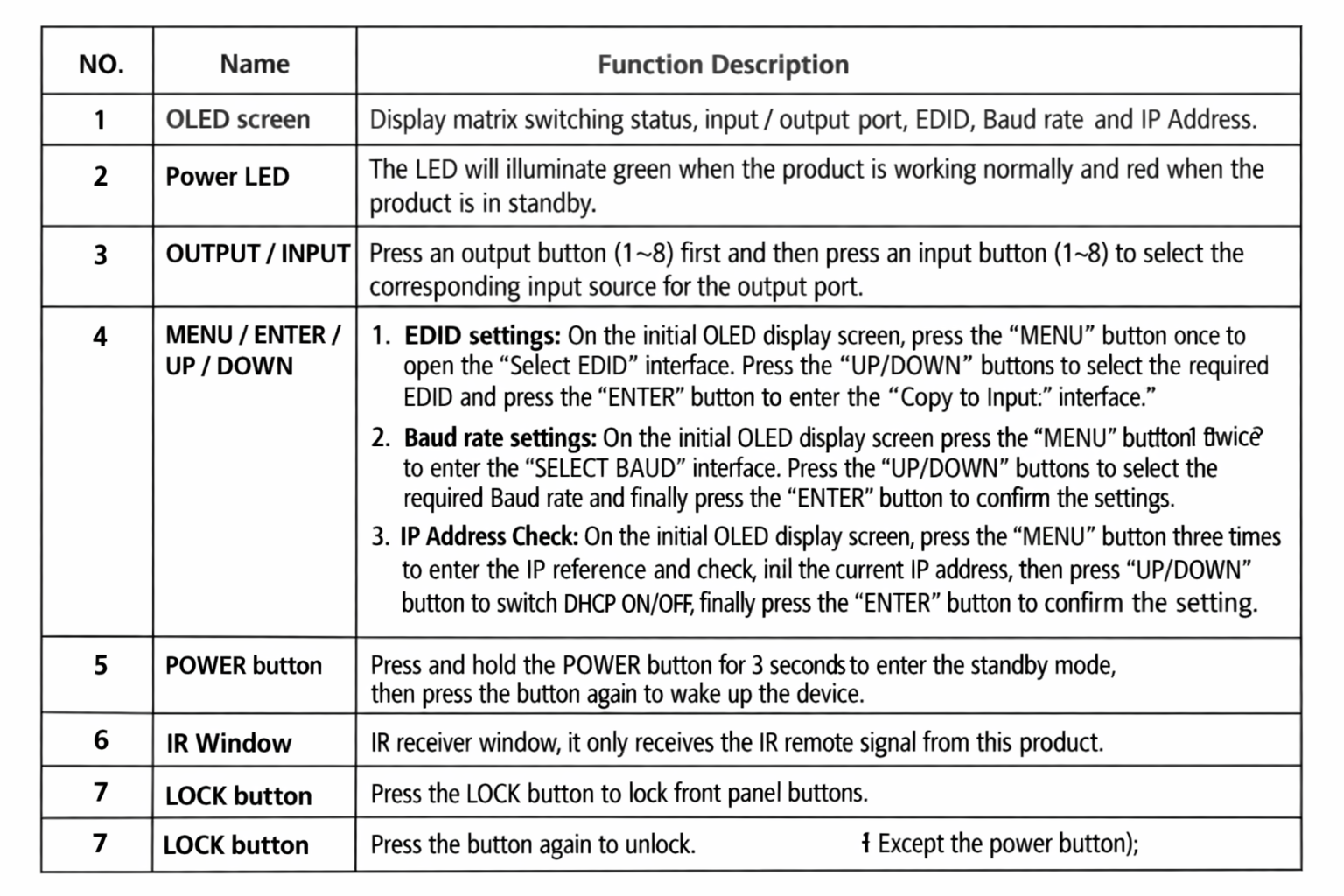
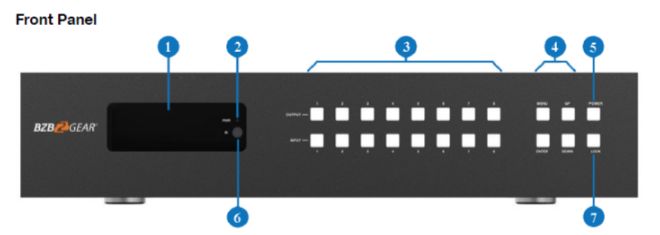
How to Use TV Switch Controller
TSN Schedule
Sportsnet Schedule
WSC TV Info
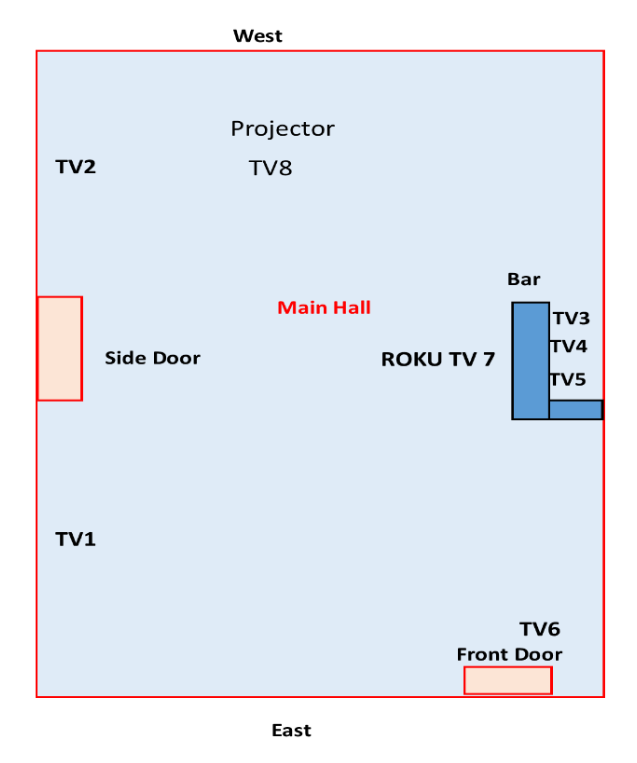
Output 1: SE Big LG — HDMI 1
Output 2: SW Big LG — HDMI 1
Output 3: Roku behind Bar — HDMI 2
Output 4: (2 TVs) Middle of Bar Samsung — HDMI 2
Output 5: Samsung at edge of bar (south side) — HDMI 2
Output 6: RCA near east entrance doors — HDMI 3
Output 7: RCA TV on pillar facing south — HDMI 3
Output 8: Projector near stage — HDMI 2
Channel Selection
Input 1: Firestick FS1 — TSN & SportsNet
Input 2: Firestick FS2 — TSN & SportsNet & IPTV
Input 3: (unused)
Input 4: Firestick FS4 — Prime Video & DAZN Sports
Input 5: (unused)
Input 6: (unused)
Input 7: (unused)
Input 8: Antenna with controller on shelf
Antenna Box Info
BZB TV Box